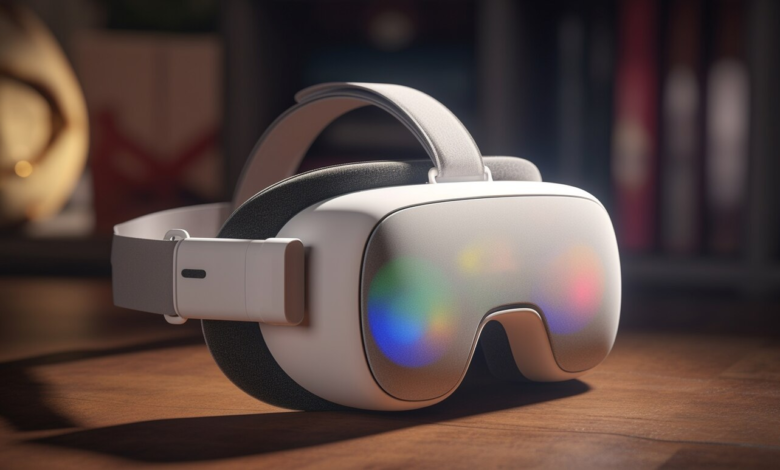
Extended reality (XR) is transforming how users interact with digital content, creating immersive
environments that blend virtual and physical spaces. The quality of the experience depends on
performance, comfort, and usability. XR headsets push hardware limits, demanding efficient processing
and seamless interaction.
XR accessories improve comfort, reduce strain, and refine tracking for better immersion. Selecting the
right accessories enhances stability and minimizes distractions.
This article explores how well-designed accessories improve XR performance, making extended sessions
more comfortable while supporting hardware efficiency.
Enhancing Stability with a Quality Head Strap
An XR headset must fit securely to deliver a stable visual experience. A loose or uncomfortable fit causes
misalignment, leading to blurriness and strain. A high-quality head strap supports better weight
distribution, keeping the headset in place without applying excess pressure on the face or forehead.
Stock head straps may not offer the best balance, especially for users engaged in long XR sessions. An
upgraded strap redistributes weight more evenly, reducing strain on the neck and face. Adjustable
straps accommodate different head shapes, allowing users to maintain a snug fit without excessive
tightening. This stability benefits both comfort and visual clarity, preventing frequent repositioning that
disrupts immersion.
For users involved in high-movement activities like VR fitness or gaming, a well-designed strap improves
responsiveness. A secure fit helps prevent unwanted shifts that impact tracking accuracy. Less
movement means the headset maintains its ideal position, reducing tracking errors and latency issues.
Improving Comfort with an Enhanced Facial Interface
Comfort plays a significant role in XR performance. A poorly fitted facial interface creates pressure
points, causing discomfort that leads to shorter sessions. A facial interface with better padding and
ventilation improves comfort while reducing lens fogging.
Stock interfaces often lack proper airflow, leading to heat buildup during extended use. A well-
ventilated design allows air circulation, preventing excessive moisture that can obscure vision.
Lightweight, hypoallergenic materials also help reduce skin irritation, making the headset more
comfortable for all users.
A better facial interface enhances the field of view by improving alignment. If the headset sits too far
from the eyes, users may experience reduced peripheral vision and image distortion. An optimized
interface allows a closer fit, creating a more immersive and accurate visual experience.
Optimizing Audio for Immersion
High-quality audio enhances the sense of presence in XR. Built-in headset speakers may not always
deliver the best sound quality or spatial awareness. External audio solutions, such as over-ear
headphones or custom-designed XR audio attachments, improve clarity and directionality.
Spatial audio plays a key role in immersion, helping users locate sounds in a 3D environment. High-
fidelity headphones enhance positional accuracy, making movement and interaction more intuitive.
Noise isolation also improves focus by reducing distractions from external sounds.
Comfort is another factor when selecting an audio upgrade. Over-ear headphones provide deep bass
and clear midrange frequencies but may add weight. On-ear or off-ear solutions offer lightweight
alternatives while maintaining good sound quality. Choosing the right audio accessory depends on user
preference and activity type.
Boosting Tracking Accuracy with Controller Grips
Precision tracking is vital for XR applications that require fine motor control. Controller grips improve
stability, preventing accidental slips and improving overall accuracy. Users engaging in fast-paced or
high-intensity interactions benefit from added grip security.
Some grips feature ergonomic contours that match natural hand positioning. This reduces fatigue during
long sessions, allowing better control without excessive strain. Non-slip materials also improve grip
consistency, especially for activities that involve rapid or forceful movements.
For applications that rely on finger tracking, enhanced grips help users maintain precise gestures. A
secure grip prevents unintended controller shifts, improving sensor accuracy and interaction
responsiveness.
Extending Session Length with Battery Packs
Battery life remains a common concern for standalone XR headsets. Many high-performance headsets
consume power quickly, limiting session duration. Attachable battery packs extend usage time by
supplementing internal power.
Lightweight, rear-mounted battery packs improve balance by acting as a counterweight to the front-
heavy design of most XR headsets. This adjustment reduces strain on the user’s neck, improving comfort
for longer sessions.
Some battery packs integrate seamlessly into the head strap, reducing bulk while maintaining
accessibility. Fast-charging capabilities allow quick power replenishment between sessions, minimizing
downtime. Selecting a battery solution tailored to the headset model ensures consistent performance
without interfering with device weight distribution.
Enhancing Hygiene and Maintenance
Hygiene becomes a concern with frequent XR use, especially in shared environments. Sweat, oil, and
dust accumulate on headset surfaces, impacting comfort and device longevity. Accessories designed for
hygiene management improve cleanliness and reduce wear.
Removable, washable face pads offer a practical solution. Swapping out face covers between users
prevents sweat buildup and maintains comfort. Antimicrobial coatings on facial interfaces also help
reduce bacteria accumulation.
Lens protectors safeguard against scratches and smudges. XR lenses are highly sensitive to damage, and
even small imperfections can impact clarity. Soft microfiber lens covers prevent dust accumulation when
the headset is not in use.
Reducing Motion Discomfort with Improved Ventilation
Motion discomfort occurs when visual movement does not align with the body’s sense of motion.
Extended XR sessions increase the risk of fatigue and discomfort, especially in enclosed headsets with
limited airflow.
Accessories that improve ventilation help regulate temperature and humidity inside the headset. Built-in
fans or passive airflow designs reduce heat buildup, preventing lens fogging and user discomfort.
Proper ventilation also benefits performance by preventing overheating. Some high-powered XR devices
generate significant heat during operation. Managing airflow reduces the chance of performance drops
due to thermal throttling.
Supporting a Better XR Experience with Proper Accessories
XR accessories impact both comfort and performance. A secure head strap improves stability, reducing
the need for frequent adjustments. A facial interface enhances fit and prevents heat buildup. Better
audio solutions refine spatial awareness, while controller grips improve precision tracking. Battery packs
extend session length, and hygiene-focused accessories support long-term device care.
Investing in well-designed accessories creates a more immersive, comfortable, and efficient XR
experience. Selecting the right enhancements reduces strain, improves tracking, and allows users to stay
engaged for longer sessions. When XR performance matters, accessories make all the difference.


