What is Sora 2 and Why It Requires an Invite?
Before talking invite codes, it helps to understand what Sora 2 is and why it’s invite-only initially.
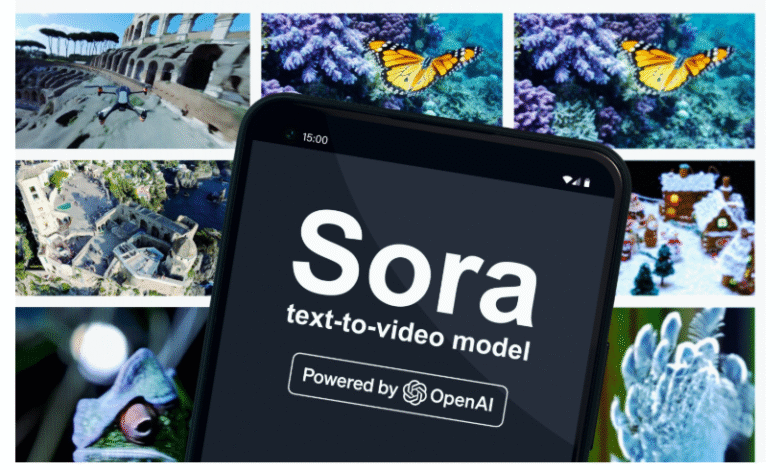
- Sora is OpenAI’s app for creating short videos (with synchronized audio) from text prompts or images.
- Sora 2 is the new generation of the model powering the app: more realistic, better at obeying physical laws, better continuity, improved audio/video sync, etc.
- At launch, Sora 2 is being rolled out gradually, starting in U.S. and Canada, via iOS (mobile) and also via web (sora.com) later.
- Because it’s still in a closed / invite-only phase, you generally need an invite code to fully activate access.
- OpenAI states that as they expand, more regions and users will be gradually enabled.
Thus, the invite code acts as a gatekeeper during early access to control rollout, manage server capacity, and ensure quality / moderation.
What You Need Before You Can Use an Invite Code
Before applying/inserting a code, make sure you have the prerequisites sorted:
- Have an OpenAI / ChatGPT account
Sora uses your OpenAI credentials. You sign in with the same account you use for ChatGPT. - Be eligible in region / platform
Initially, the Sora app is iOS-only in the U.S. and Canada. Web access (sora.com) is also planned, but rollout is gradual.
If your country is not yet supported, even a code may not work initially. Some users on Reddit mention code failure possibly being tied to geographic or IP restrictions. - Download the Sora app or access via web
If you’re on iOS in a supported region, download the Sora app and log in with your OpenAI account. During onboarding, you’ll be asked for birthday and possibly the invite code.
If web support is enabled for your account, you might use sora.com too. - Be on waitlist / notification list
Since rollout is gradual, OpenAI allows you to request notification when your account becomes eligible.
Also, being a ChatGPT Plus / Pro user may help priority. Some reports suggest early invites might be offered to paying / high-usage users.
Once you confirm those, you are ready to attempt using an invite.
Official Methods to Get a Sora 2 Invite Code
Here are legitimate, recommended ways to obtain an invite code from official or trusted sources.
| Method | Description | Tips & Notes |
| OpenAI / Sora official releases | OpenAI might distribute invite codes via their official announcements, blog, or launch events. | Follow OpenAI’s channels (Twitter/X, blog, newsletter) to catch code drops. |
| Waitlist / Notification | Sign up in the app or on the site to be notified when your account is eligible or when codes are available. | Keep your email alert settings on. |
| Referral / friend invites | Some users who already have access may have spare invite codes to share. | Ask friends or contacts already using Sora 2. |
| Community / Discord / forums | OpenAI or Sora’s official Discord or community forums may distribute codes to active users. | Look for invite channels, announcement threads, or “get in†channels. |
| Social media / X / Threads / Mastodon | Users often share invites publicly (code drops). | Monitor hashtags like “Sora2 invite code†or “Sora invite.†E.g., a tweet “REFILLED SORA 2 INVITE CODE 0B8Z7G†was seen. |
| Reddit / Megathreads | Communities often share working codes and their status. | On r/OpenAI, there’s a megathread for Sora 2 invite codes.  |
Sample Codes Reported
- A85AN6 — reported as a “permanent code” (though may not work in certain regions) by Reddit users.
- SK9H6P — shared by a blog post as a working invite at that time.
- 0B8Z7G — tweeted as “refilled Sora 2 invite code.”
Caution: Codes can expire, be region-locked, or be invalid by the time you try them. Always verify in trusted contexts.
Step-by-Step: How to Use an Invite Code
Here’s a structured flow to try to get access with a code, from start to finish:
- Install and launch Sora / open web version
- If on iOS and in eligible region, download the Sora app from App Store.
- Alternatively, check if sora.com is active for your account.
- Sign in using your OpenAI / ChatGPT account
Use your credentials. If not signed in, do so. - Go through onboarding
- Provide birthday / age (for safety compliance).
- The app may ask for a username and optionally profile photo.
- When prompted, enter invite code
During onboarding, there will be a field for entering an invite code. Type in the code exactly (case-sensitive) and submit. - If the code is valid, you gain access
You should then be able to start creating videos, remixing, etc. - If the code is invalid / doesn’t work
- Double-check the code (characters, case).
- See if you are region-blocked (e.g. outside U.S. / Canada).
- Try another code from community sources.
- Wait for your account to be whitelisted via OpenAI’s rollout.
- Activation & first usage
Once working, you can start exploring Sora 2 features: generating short vertical videos, remixing existing ones, using cameos (self likeness) etc.
Tips to Increase Your Chances
Because invite codes are limited and rollout is gradual, here are strategic tips to improve your chances:
- Stay active in community / Discord
Being active may increase your chances to receive codes when OpenAI distributes them to engaged users. - Follow OpenAI and Sora accounts
They may drop codes unexpectedly via social posts. - Use push/email notifications
Don’t disable alerts; often invites or code drops are time-sensitive. - Ask friends already in
If you know someone using Sora 2, request a code from them. Many get extras. - Monitor regional expansions
Once Sora unlocks in more countries, codes may become usable in your region. - Use codes quickly
Codes are often first-come-first-served; if you see one, try immediately. - Don’t pay for codes
Promotions or ads selling codes are likely scams. Stick to official or trusted community sources. - Record your attempts
If an invite fails, note error messages; it might help when contacting support.
Frequently Asked Questions (FAQ)
| Question | Answer |
| Do invite codes expire? | Many codes are single-use or time-limited. Some users report codes “not working†because they’ve been redeemed or the domain is region-restricted. |
| Can I skip the invite and just wait? | Yes. Over time, OpenAI will gradually enable access without needing codes for more users. |
| Will users outside U.S./Canada get access? | Yes, but the rollout is delayed. OpenAI plans to expand region support over time. |
| If I have ChatGPT Pro / Plus, do I get prioritized? | Some sources suggest premium users may get earlier access. |
| Can codes be reused or shared? | Usually codes are one-time or limited usage. Sharing widely may cause them to expire quickly. |
What Happens After You Get Access: What You Can Do in Sora 2
Once your invite works, you gain access to Sora 2’s features:
- Generate short videos (default ~10 seconds, vertical format) from text prompts or from an image.
- Remix existing videos created by others (with attribution).
- Cameos / likeness injection: record a short video + audio that lets Sora insert your face or voice into scenes (with your permission).
- Feed / sharing / social features: browse content made by others, follow users, share your creations.
- Watermarking & provenance metadata: generated videos include visible watermark and C2PA metadata so the origin is traceable.
- Constraints / limitations: complex scenes with many people speaking or fast camera moves may be error-prone; simpler prompts generally yield better results.
Sample “Invite Code Request” Template You Can Use
Here’s a message you can use in forums or to community moderators:
Hello,
I’m very interested in accessing Sora 2. My OpenAI account is [your_email / username].
Are there any active invite codes or referral passes I could receive? I’d appreciate any help.
Using Sora 2 for Gaming Work
- Game Trailers & Promos
- You can write prompts like “epic fantasy warrior walking through burning castle cinematic trailer style” and get short video clips.
- Great for concept teasers, social media marketing, or pitch videos.
- Cutscenes & Storyboarding
- Sora 2 can generate story-like sequences (short ~10s videos).
- While it’s not yet consistent enough for long cutscenes, you can chain multiple generations to storyboard game sequences.
- Helps indie developers visualize narrative before spending budget on full animation.
- Character Concepts
- Cameo feature allows you to insert a face/voice (even your own) into generated content.
- Could be used to prototype NPCs, villains, or dialogue scenes.
- Note: For commercial use, double-check OpenAI’s content licensing rules.
- Environment / Level Concepts
- Prompts like “futuristic cyberpunk neon city, rainy streets, cinematic camera pan” give inspiration for map design.
- Not game-ready 3D assets, but great for mood boards or concept direction.
- Streaming & Content Creation
- Gamers / streamers can use Sora clips for intro videos, transitions, overlays, or hype reels.
- Example: A Twitch streamer could generate a “dragon flying over neon Tokyo” clip as a channel intro.
Limitations for Gaming Use
- Not exportable as 3D/game assets → You only get rendered video, not models/textures.
- Short duration (~10s max currently). For longer cinematic work, clips need editing.
- Consistency issues → Characters may change appearance across shots.
- Commercial rights → At launch, OpenAI allows use, but watermark & C2PA metadata stay embedded. Always check licensing if you’re releasing commercially.
- Region lock → If you’re outside the U.S./Canada, even with a code, gaming usage may not unlock yet.
Best Gaming Workflows with Sora 2
- Indie Devs: Use Sora 2 for prototyping storyboards or pitching publishers.
- Studios: Test cinematic ideas cheaply before full production.
- Streamers: Generate stylized intros / outros / memes.
- YouTubers: Create AI-powered highlights & commentary visuals.
- Modders: Use for concept cutscenes in mods (non-commercial).
Sora 2 Gaming & Invite Code FAQs
1. What is Sora 2?
Sora 2 is OpenAI’s upgraded video generation tool that creates short, realistic videos (with synced audio) from text prompts or images. It’s currently invite-only and rolling out gradually.
2. Do I need an invite code to use Sora 2?
Yes — during early access, most users need an invite code to activate the app or web version. Some accounts may be whitelisted automatically, but codes help unlock access faster.
3. Where can I get a valid invite code?
•Official OpenAI channels (social posts, newsletters)
•Waitlist notifications when your account is eligible
•Friends who already have access (referral codes)
•Community drops (Reddit, Discord, Twitter/X)
Avoid paying for codes — scams are common.
4. Can I use Sora 2 for gaming projects?
Yes, but mainly for conceptual or promotional content, such as:
•Game trailers / teaser videos
•Storyboarding cutscenes
•Moodboards for environments and characters
•Streaming intros, overlays, or highlight reels
5. Does Sora 2 make actual game assets (3D models, textures)?
No. Sora outputs short video clips, not game-ready assets. For now, it’s best used for inspiration and marketing, not direct integration into games.
6. How long can Sora videos be?
Currently around 10 seconds max. You can stitch clips together with editing software to create longer sequences.
7. Can I use Sora videos commercially (like in a published game)?
OpenAI allows sharing and commercial use, but videos contain a visible watermark and C2PA metadata to identify AI origin. Always check the latest OpenAI terms before using in commercial projects.
8. What if my invite code doesn’t work?
•Double-check you typed it correctly (case-sensitive).
•Try another code — many expire or are single-use.
•Ensure you’re in a supported region (U.S./Canada currently).
•If still blocked, join the waitlist for official access.
9. Is Sora 2 good for streamers or YouTubers?
Yes — it’s great for making custom intros, transitions, meme edits, or highlight reels quickly without hiring a motion designer.
10. Will Sora expand beyond U.S. and Canada?
Yes — OpenAI has said it will gradually expand to more regions and platforms. Codes may not work until your region is supported.